Local-first strength log · iOS
Commit,
Lift,
Diff.
Simplified gym log.
diff — this week vs last
Local-first strength log · iOS
Simplified gym log.
diff — this week vs last
Where your records live
Every set you log is written to a single file on your device. The developer never gets a copy, and nothing in the app reports back. Turn on iCloud sync and your records go to your own private iCloud — and the developer can't read that either.
Your entire history is one SQLite file in the app's own folder — not an account you sign in to, and not a service that can take it away.
No analytics SDK and no third-party SDKs are embedded. No advertising identifier and no device identifier are read.
Sharing is off until you turn it on. Even then, friends see only a summary — how long, how many sets, which muscles. Your sets and notes never leave your phone.
The details are in the privacy policy.
Starting a session
The rest of the app is just as simple. Hold the start button, your routines fan out under your thumb, and you slide onto the one you came here to do.
Dynamic Island
The set ends, the timer starts, and you put the phone down. Rest runs in the Dynamic Island and on the Lock Screen — never unlock to check it, and never open the app to start the next set.
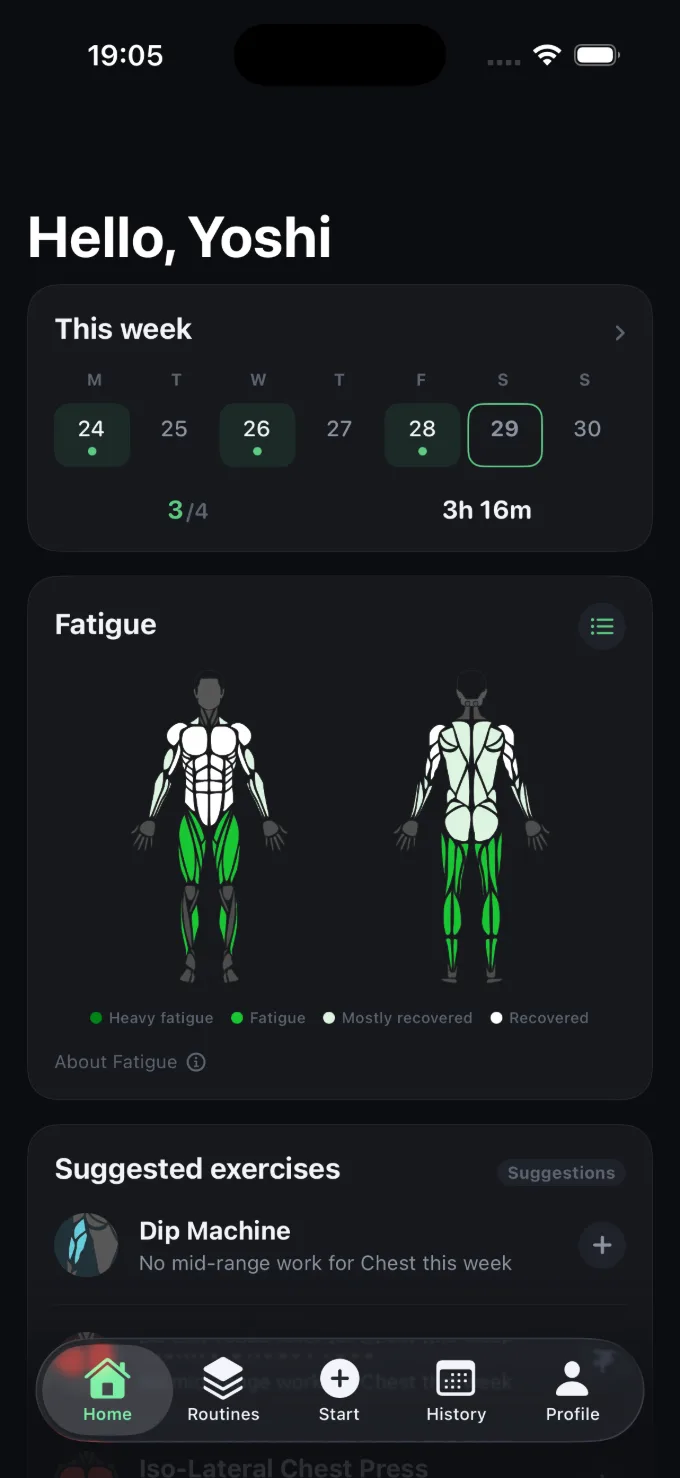
Fatigue
Every set you log feeds a per-muscle recovery estimate, drawn on a body map. Not a single "readiness" number — seventeen muscles, each decaying at its own rate.
Recovery = e^( −Σ( RIR × Exercise × Muscle split × Time decay ) / Yardstick )
Progress
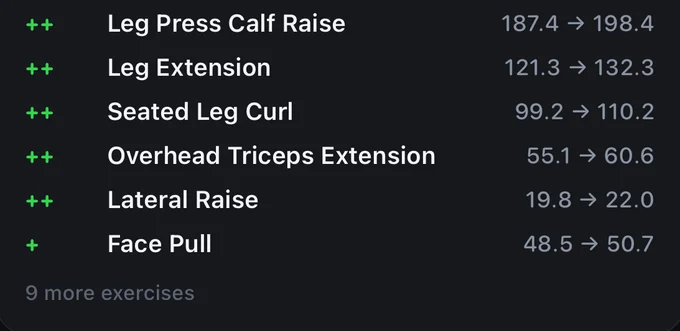
See your progress, not just your logs. Every week is diffed against the one before it, and every exercise keeps its own estimated 1RM, top weight and volume over time.
++ and −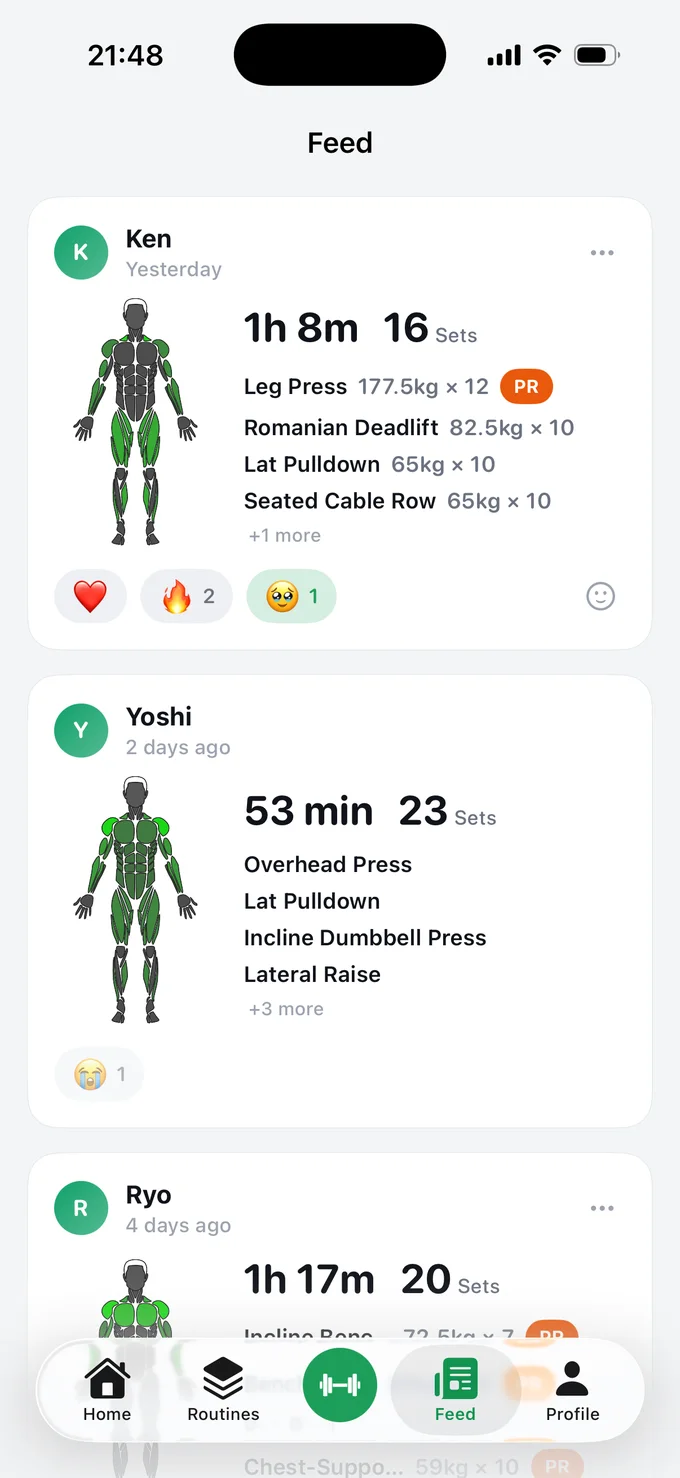
Friends
A feed of your friends' finished workouts — when, how long, what they hit. It's hard to skip a day when you can see your friends didn't.
Your data
Bring your history in from anything — another app's export, a spreadsheet, your own notes. Take it back out as JSON or CSV, or copy it in one tap. The schemas are public, so anything can read it. Including you.
JSON or CSV, as a file or straight to the clipboard. RIR, notes and warm-up sets all survive the round trip.
Strong and Hevy CSVs import directly. For anything else, the app hands you a prompt that converts it — RPE becomes RIR on the way in.
The rest of it
Yes. Strong and Hevy CSV exports import directly. For anything else — another app, a spreadsheet, a screenshot you typed up, notes in your phone — the app gives you a prompt to paste into an AI along with your data; it hands back JSON that LiftDiff reads. RPE is converted to RIR on the way in, and notes stay attached to the right day and the right exercise.
Only if you choose to. By default a friend sees that you finished a workout — when, how long, how many sets, which muscles. Weights and exercise names go out per workout, and only when you switch them on. Friends are mutual: both sides approve, and blocking cuts both directions at once.
Recovery = e^( −Σ( RIR × Exercise × Muscle split × Time decay ) / Yardstick )
Computed for every set, summed up, then decayed by elapsed time.
What this measure cannot tell you
Which muscle is most fatigued is reasonably reliable. How fatigued it is — the absolute number, the percentage — is a rough guide only.
In one SQLite file in the app's Documents directory. Export the whole thing as JSON or CSV any time, or copy it to the clipboard in one tap. The schemas are published, so you don't need LiftDiff to read your own records.
Neither, today. The Watch is the more likely of the two. Android isn't planned — but your data exports to open formats, so nothing traps you here.